
1. Overview of HVPPI
Step 1
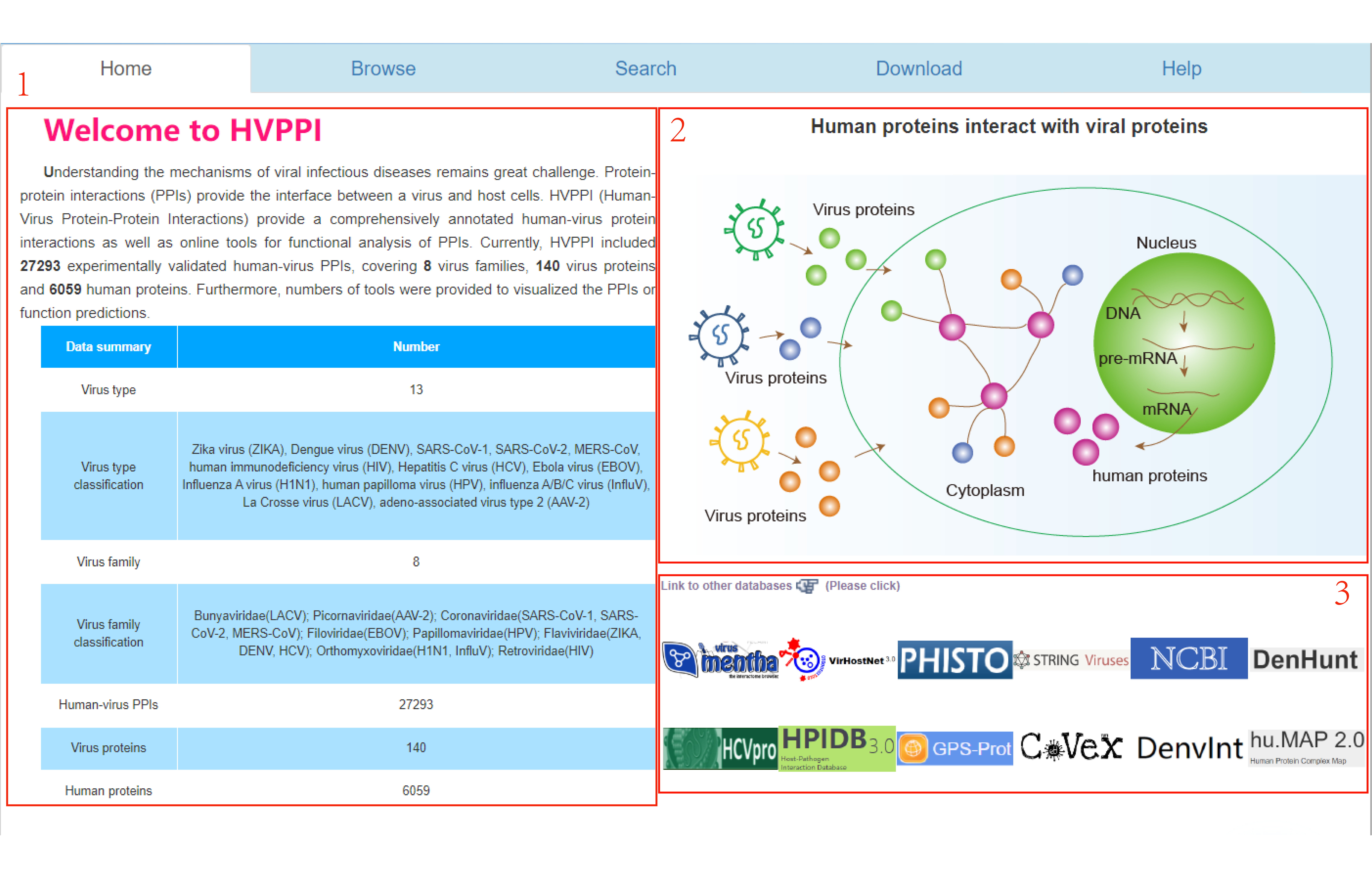
1.Introduction to the HVPPI database.
2.Illustration of human proteins interacting with viral proteins.
3.Link to other virus databases.
Step 2
1.Connection of Hainan Medical University.
2.Email address.

2. Browse
Step 1
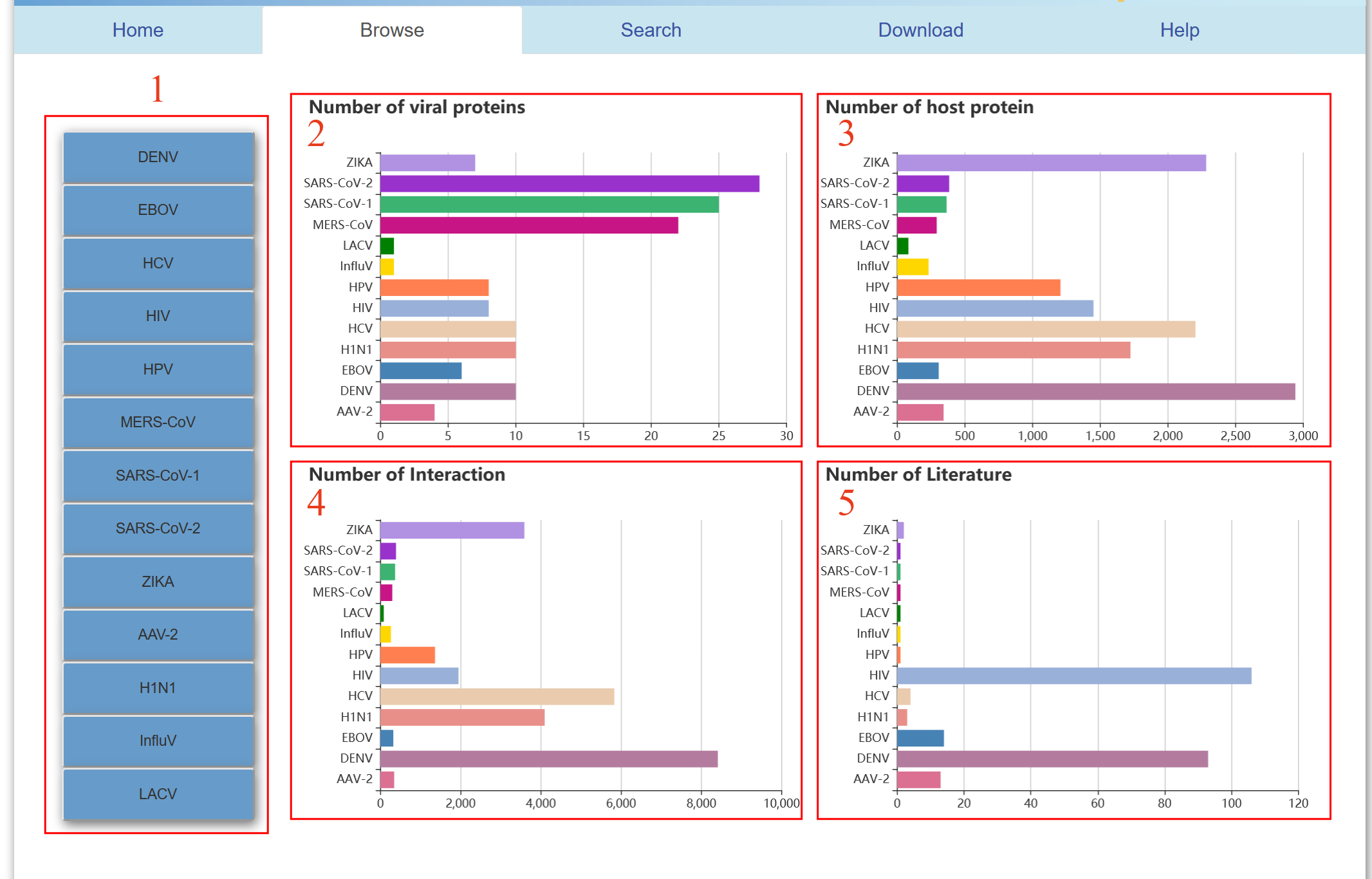
1.13 kinds of virus navigation bar.
2.The number of proteins of each virus.
3.Number of host proteins corresponding to each virus.
4.Total number of interactions between viral proteins and host proteins.
5.The number of literatures to study each virus.
Step 2
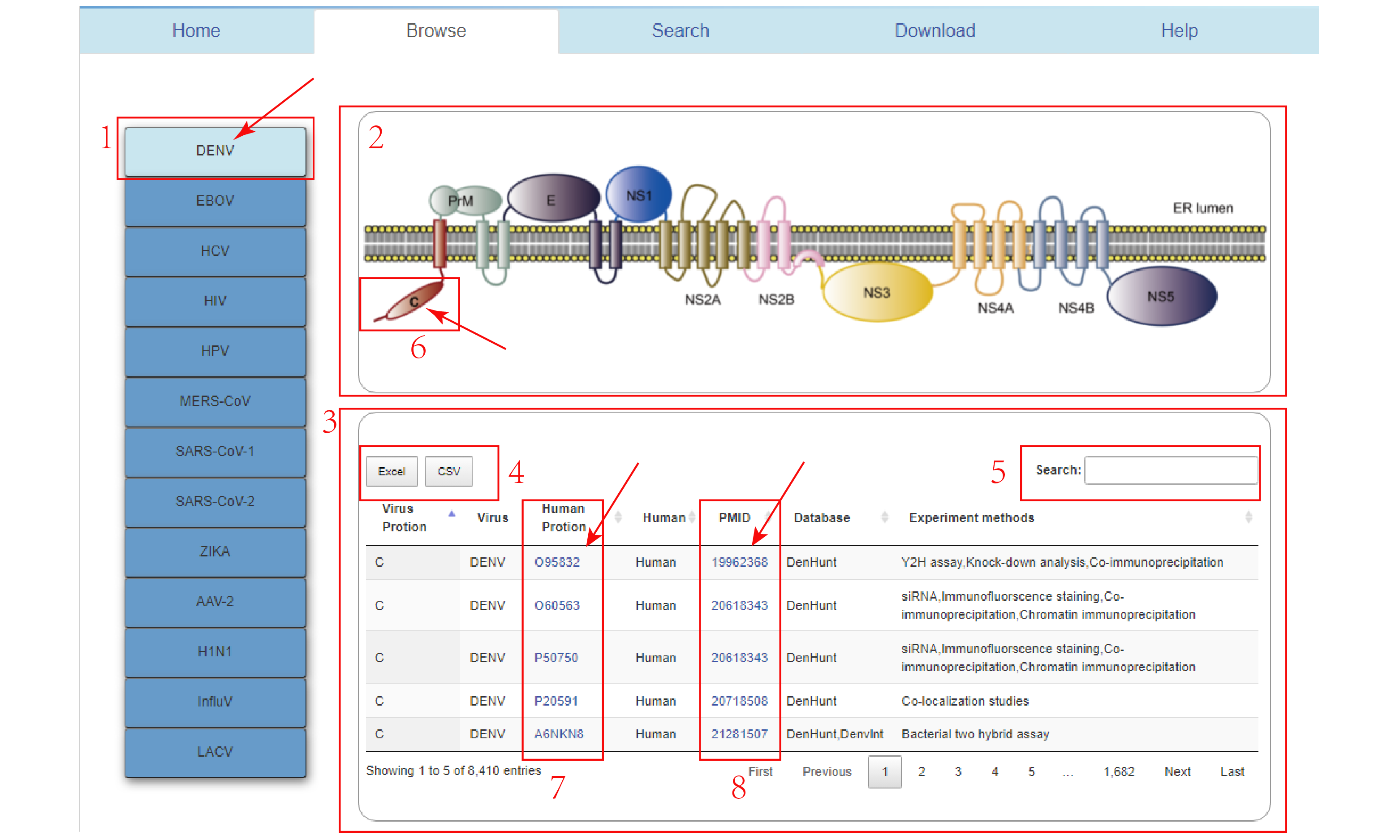
1.Click on DENV virus in the virus navigation bar.
2.Protein structure diagram of DENV virus. Click any protein in the diagram and corresponding protein data will appear. If No-Record! appears, it means there is No protein data of this virus.
3.All DENV data include viral protein and human protein interaction data.
4.Data download.
5.Search directly for proteins of interest.
6.Clicking on the C protein provides information about its data.
7.Clicking on any ID in this column will take you to human protein information in the Uniprot database.
8.Clicking on any ID in this column will lead you to the relevant article in PubMed.
Step 3
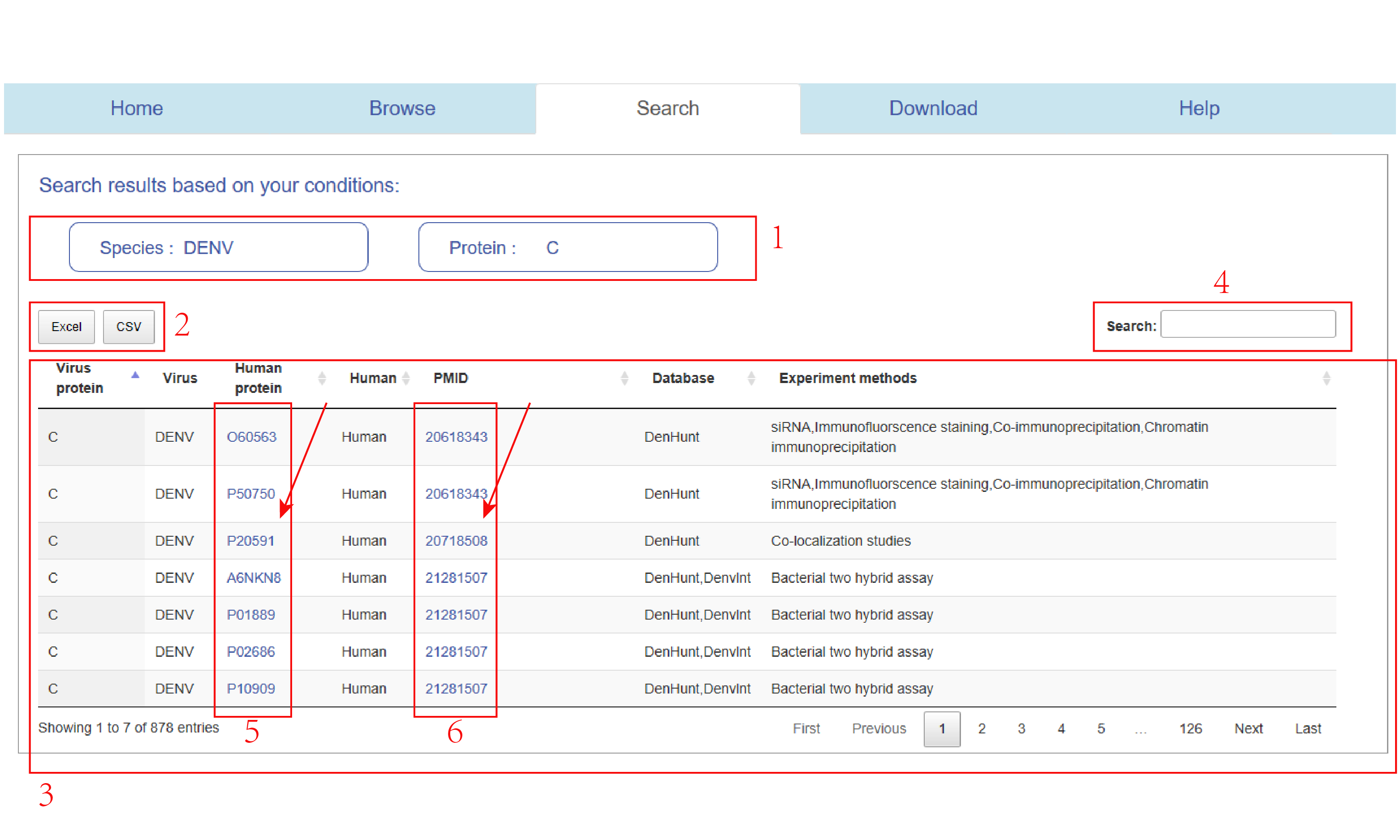
Clicking on C protein in Figure 4 will directly jump to the data information interface related to protein C.
1.Virus-all and C keywords.
2.Relevant data can be downloaded.
3.All DENVs correspond to C data.
4.Search directly for proteins of interest.
5.Clicking on any ID in this column will take you to human protein information in the Uniprot database.
6.Clicking on any ID in this column will lead you to the relevant article in PubMed.
Step 4
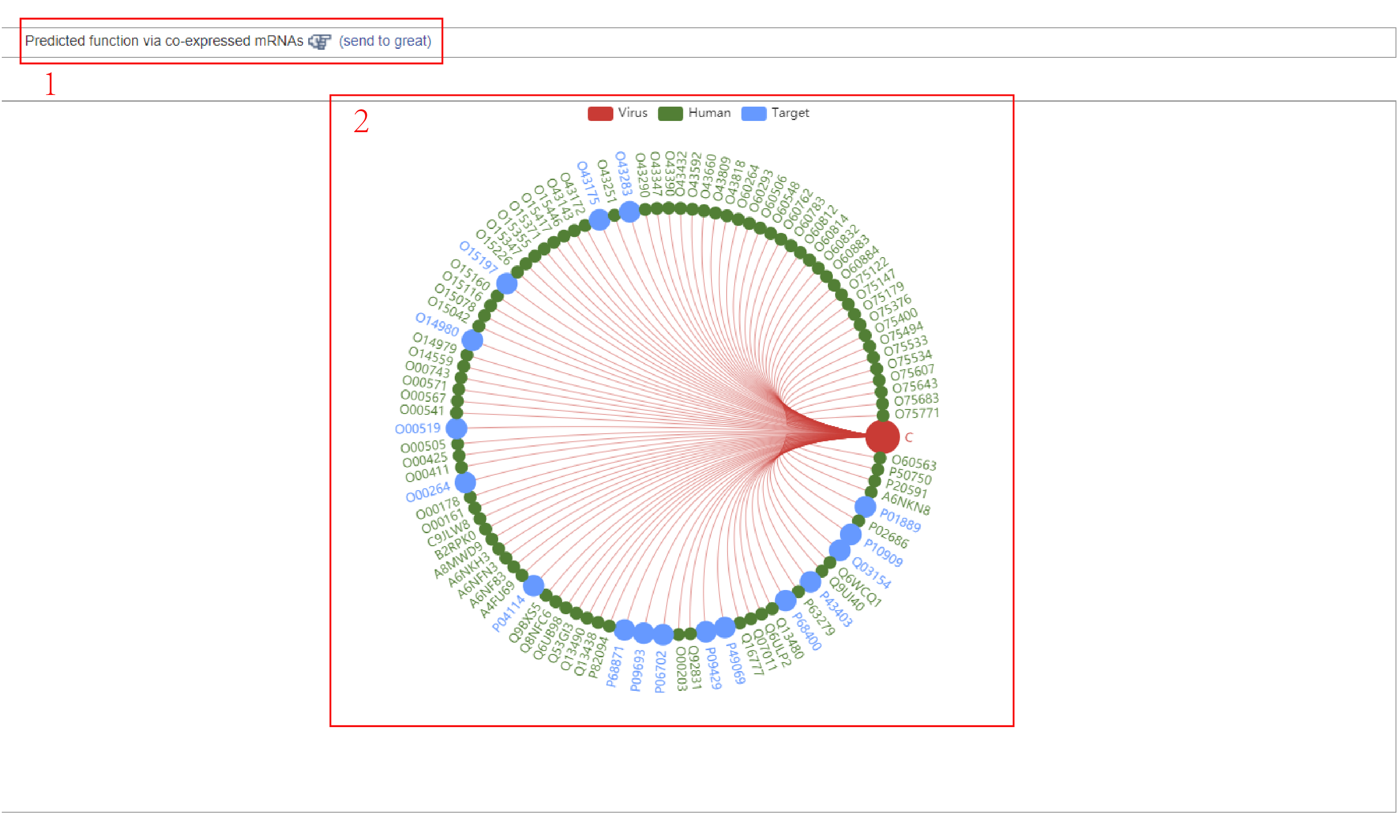
This is a network of interactions between C and human proteins. Click on the C protein in Figure 4 to jump to this network.
1.Link to the "great" database.
2.Network diagram of the interaction between C protein and human protein, where the red is the viral protein, the green is the human protein with no drug target, and the blue is the human protein with drug target.
Step 5
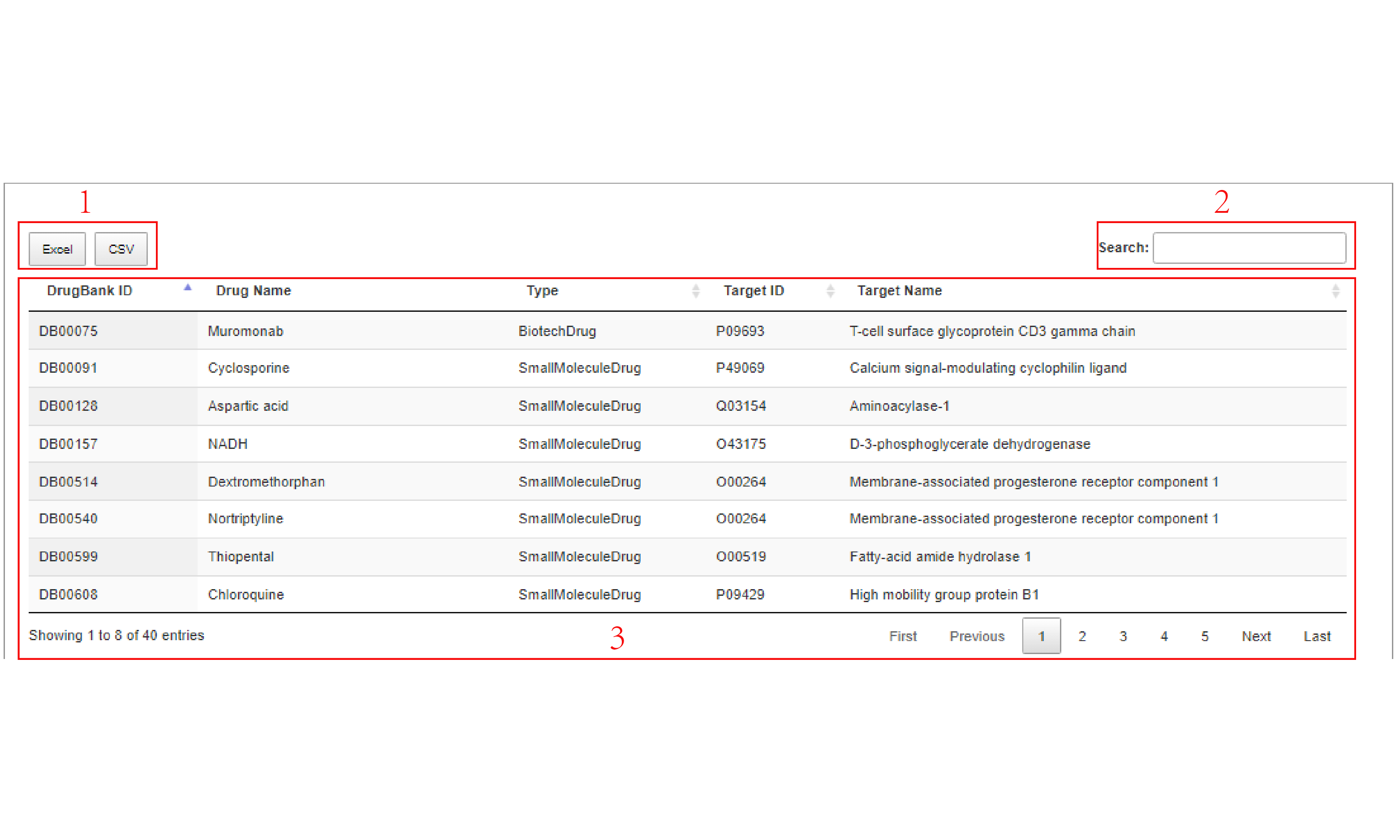
1.Relevant data can be downloaded.
2.Search directly for information on drugs of interest.
3.C virus protein corresponding to human protein and drug target data information.
Step 6
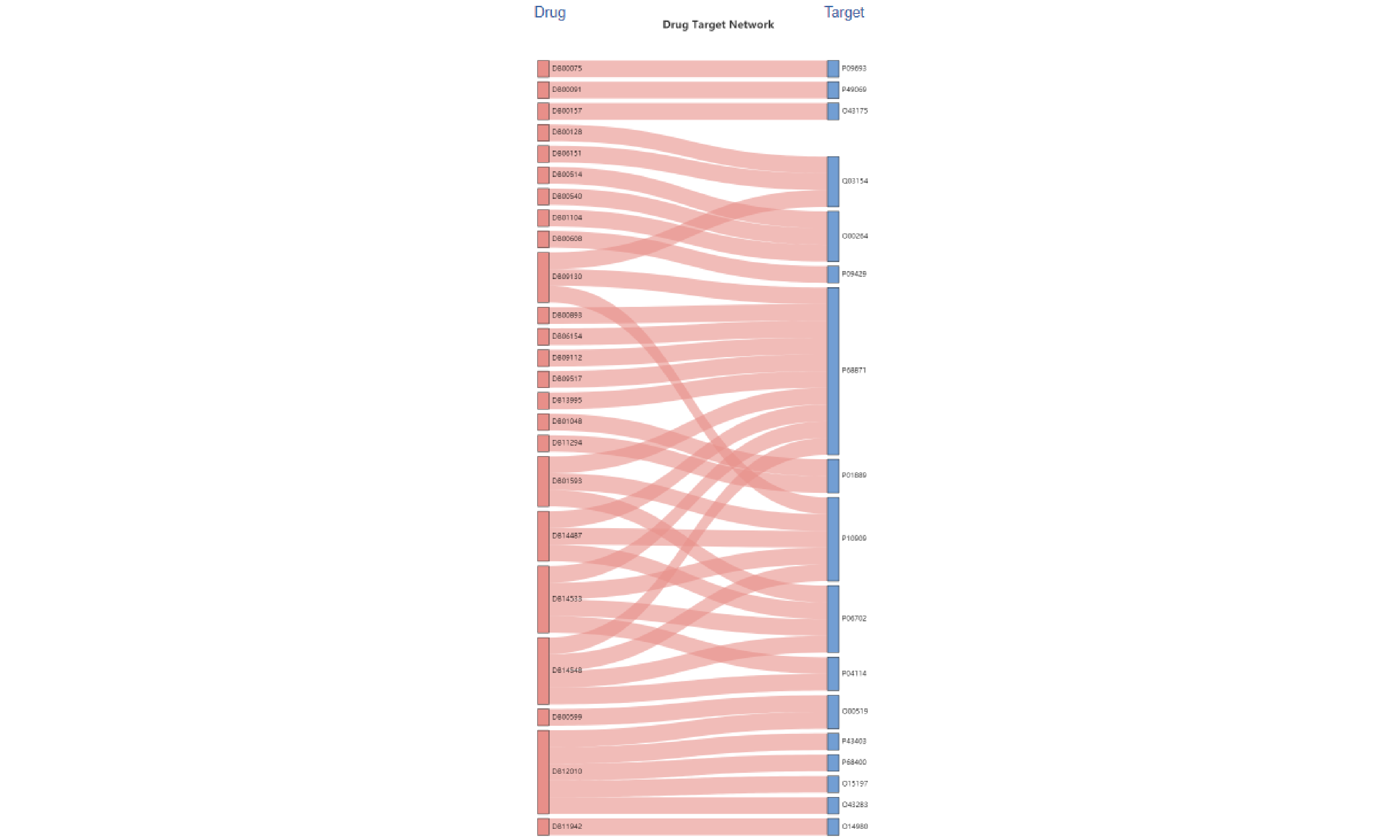
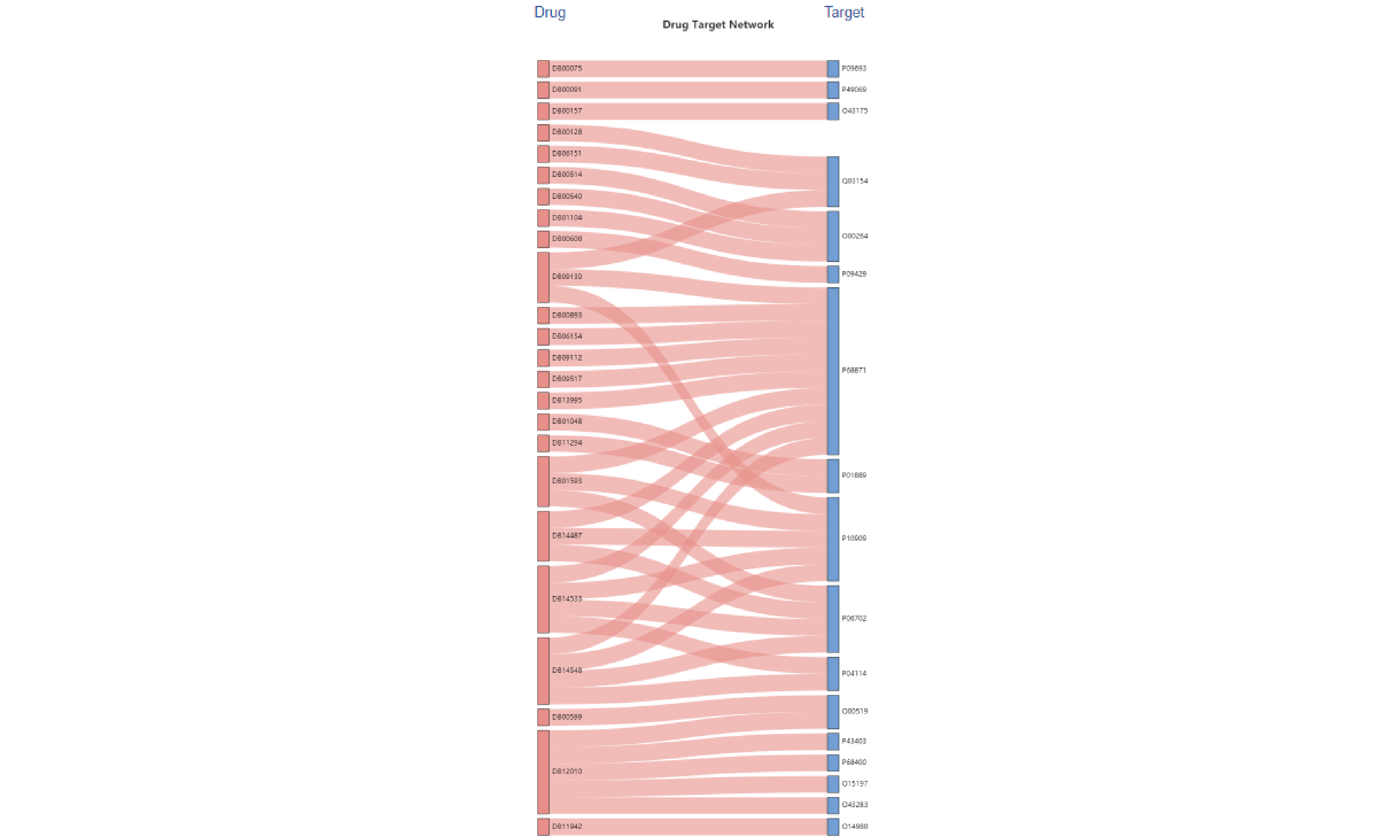
Visualization of a drug and its human target protein .
3. Search
Step 1
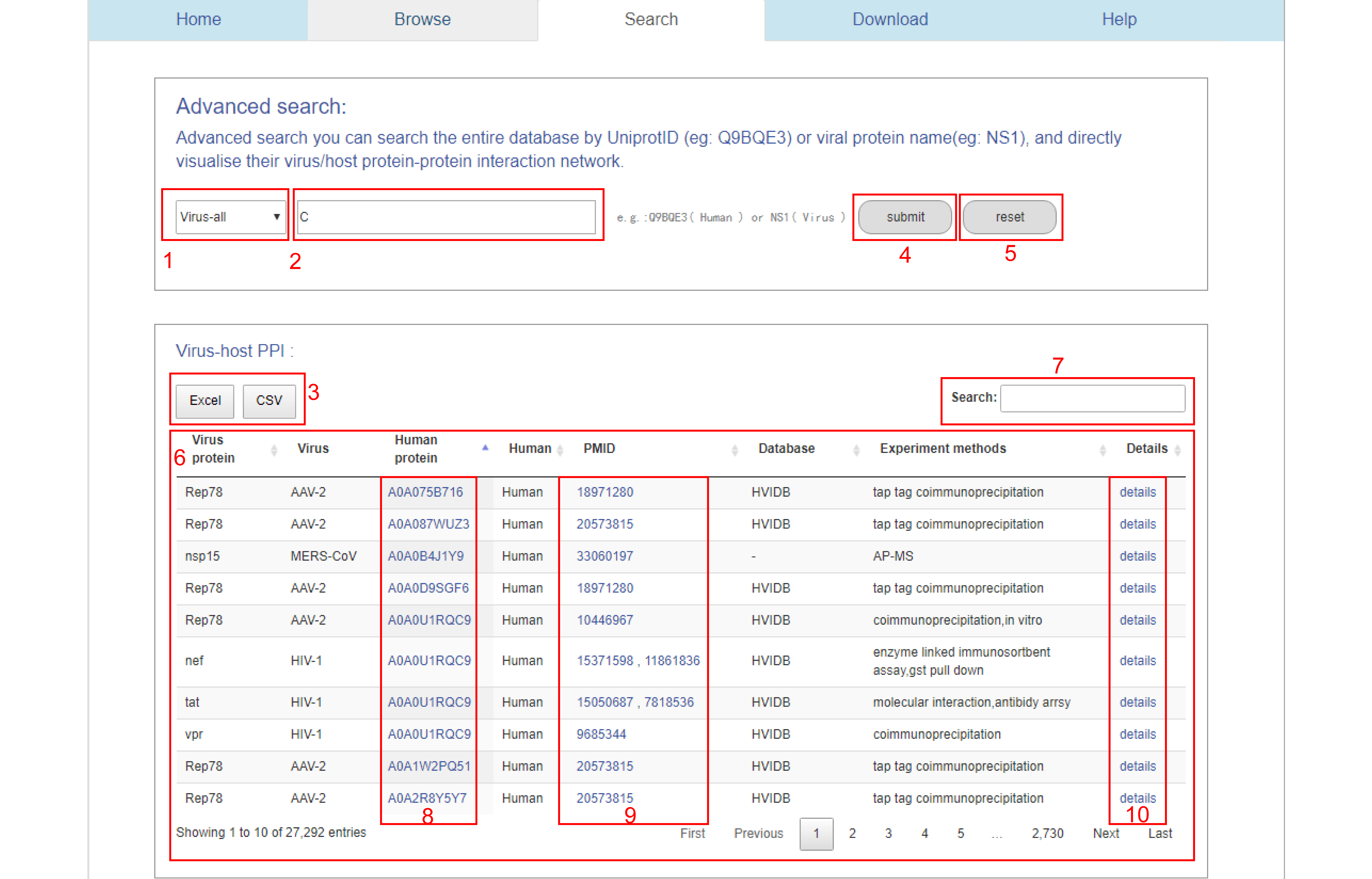
1.The drop-down menu includes humans and 13 viruses,we choose virus-all.
2.Name of the input protein,we put in the C protein.
3.Data download.
4.Submit button.
5.Reset button.
6.All data sets in HVPPI database.
7.Search directly for proteins of interest.
8.Clicking on any ID in this column will take you to human protein information in the Uniprot database.
9.Clicking on any ID in this column will lead you to the relevant article in PubMed.
10.Link to detailed data information.
Step 2
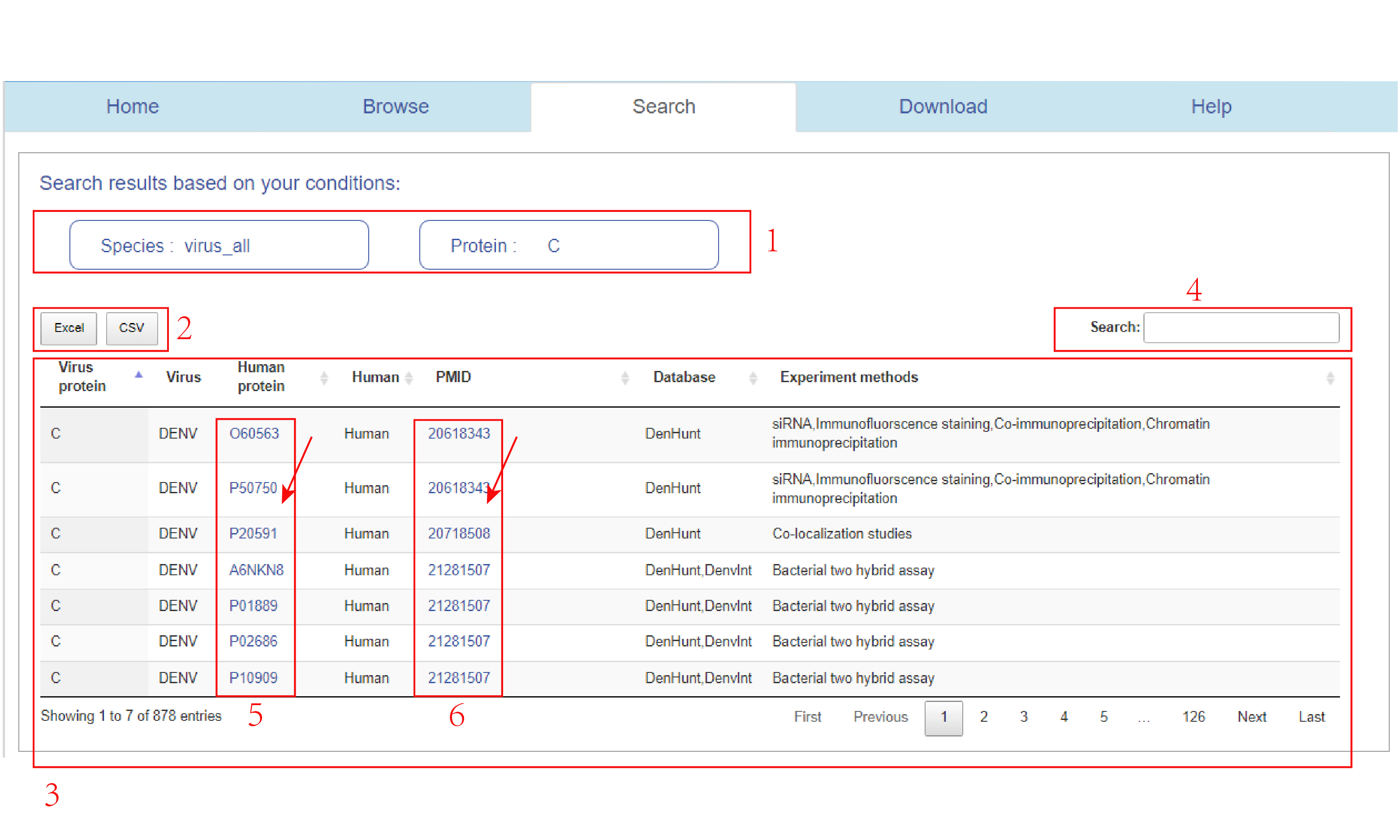
Enter virus-all and C in Figure 9 to jump to this interface.
1.Virus-all and C keywords.
2.Download data.
3.Data related to virus-all and C.
4.Search directly for proteins of interest.
5.Clicking on any ID in this column will take you to human protein information in the Uniprot database.
6.Clicking on any ID in this column will lead you to the relevant article in PubMed.
Step 3
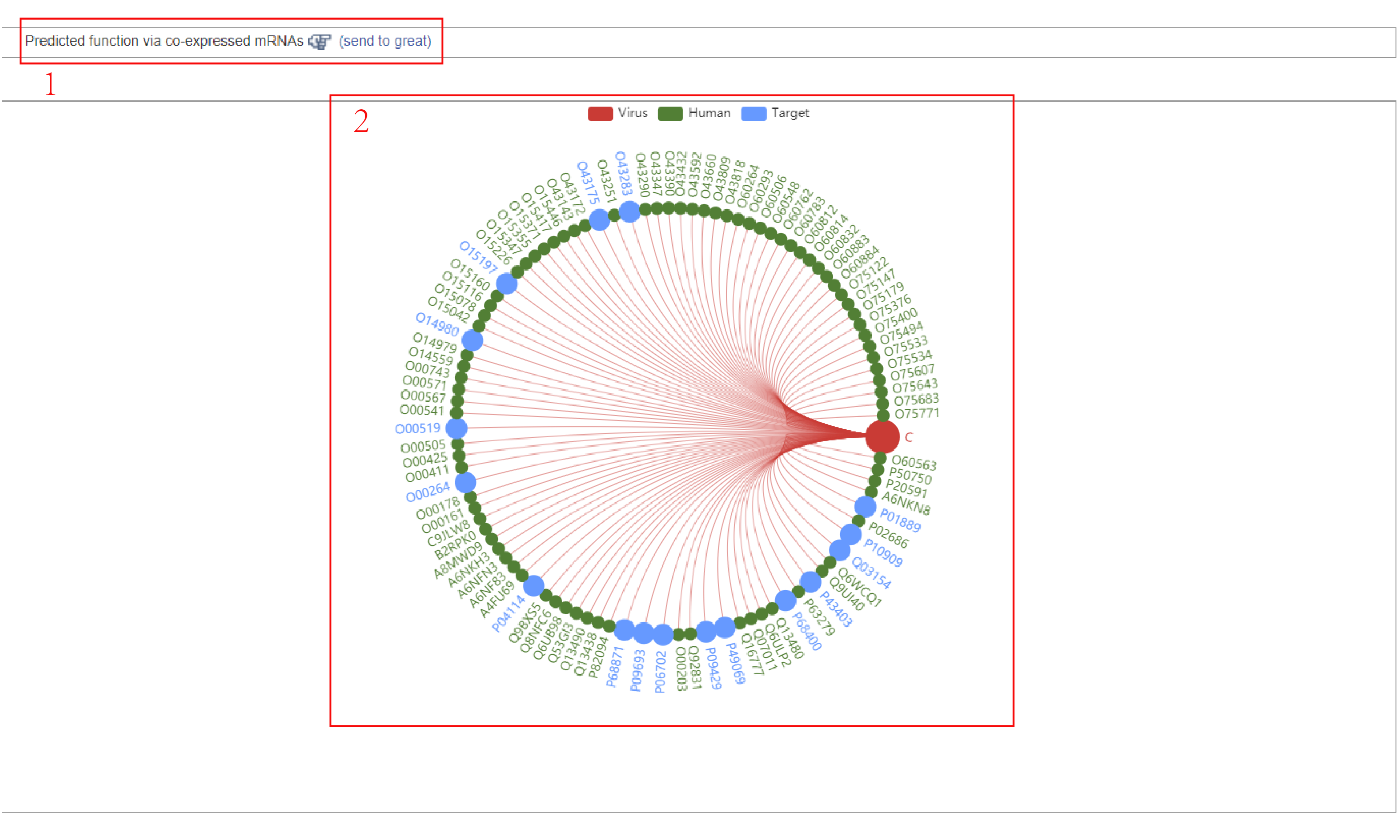
Enter virus-all and C in Figure 9 to jump to this interface.
1.Link to the "great" database.
2.Network diagram of the interaction between C protein and human protein, where the red is the viral protein, the green is the human protein with no drug target, and the blue is the human protein with drug target.
Step 4
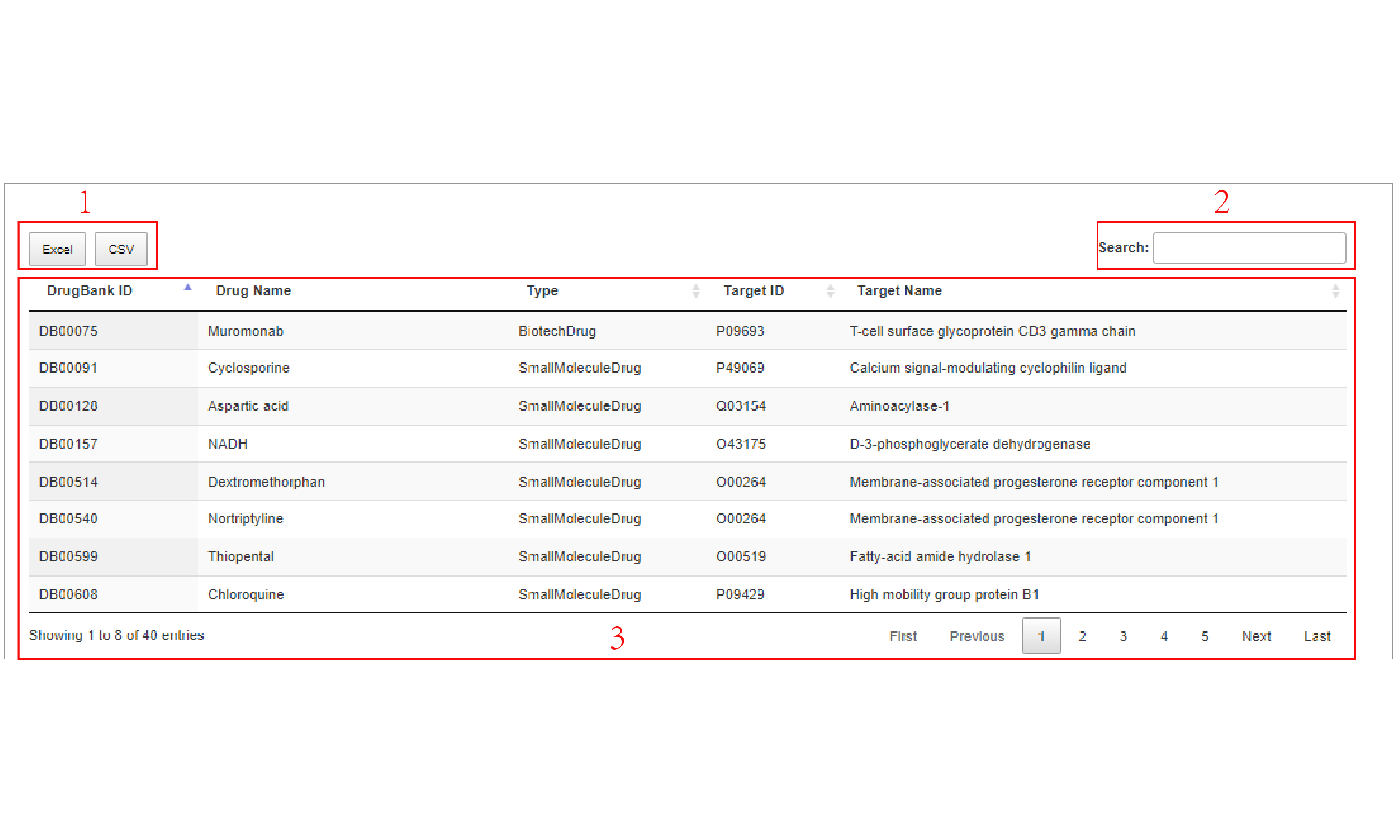
Enter virus-all and C in Figure 9 to jump to this interface.
1.Relevant data can be downloaded.
2.Search directly for information on drugs of interest.
3.C virus protein corresponding to human protein and drug target data information.
Step 5
Visualization of a drug and its human target protein .
4. Download
Step 1
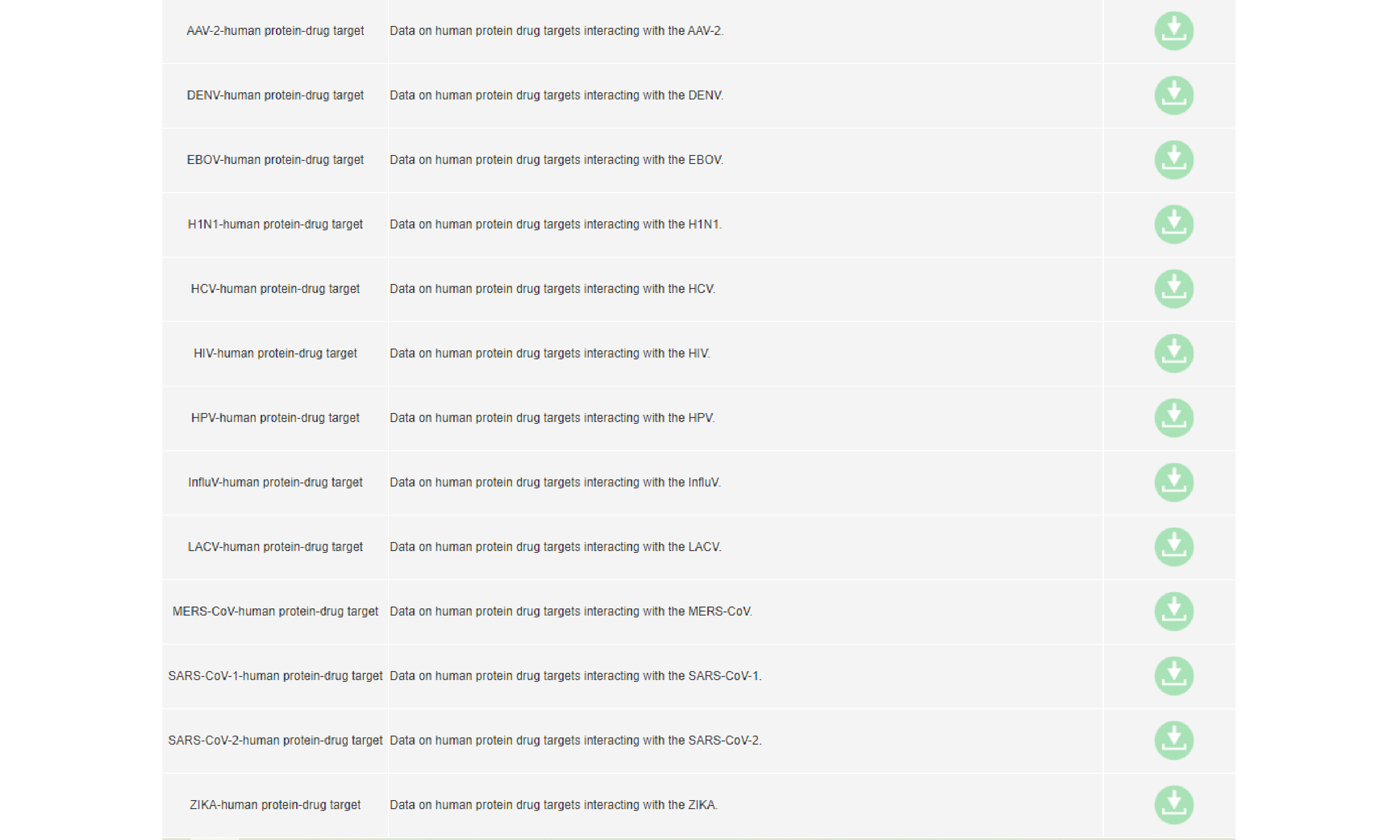
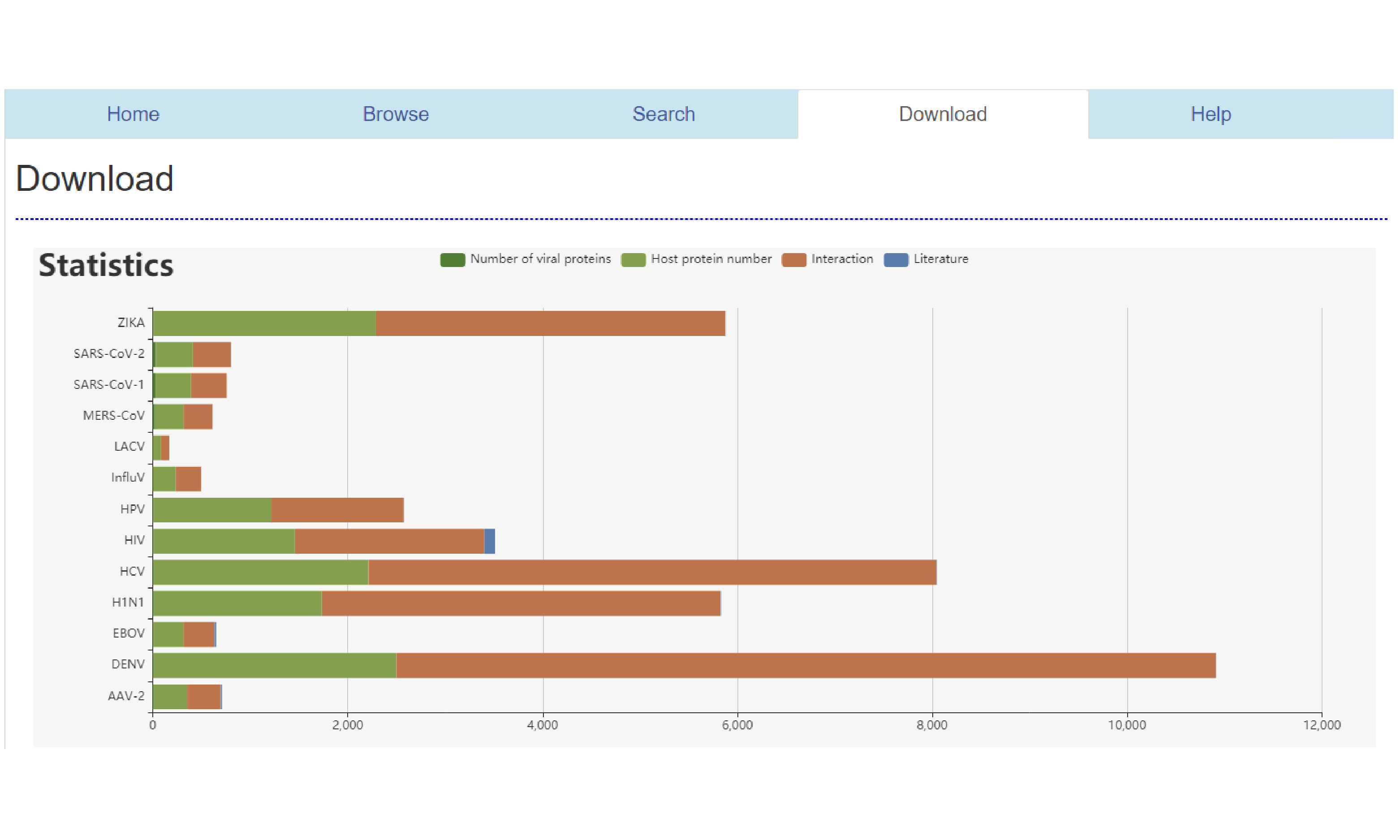
13 kinds of viruses corresponding to relevant data.
Step 2
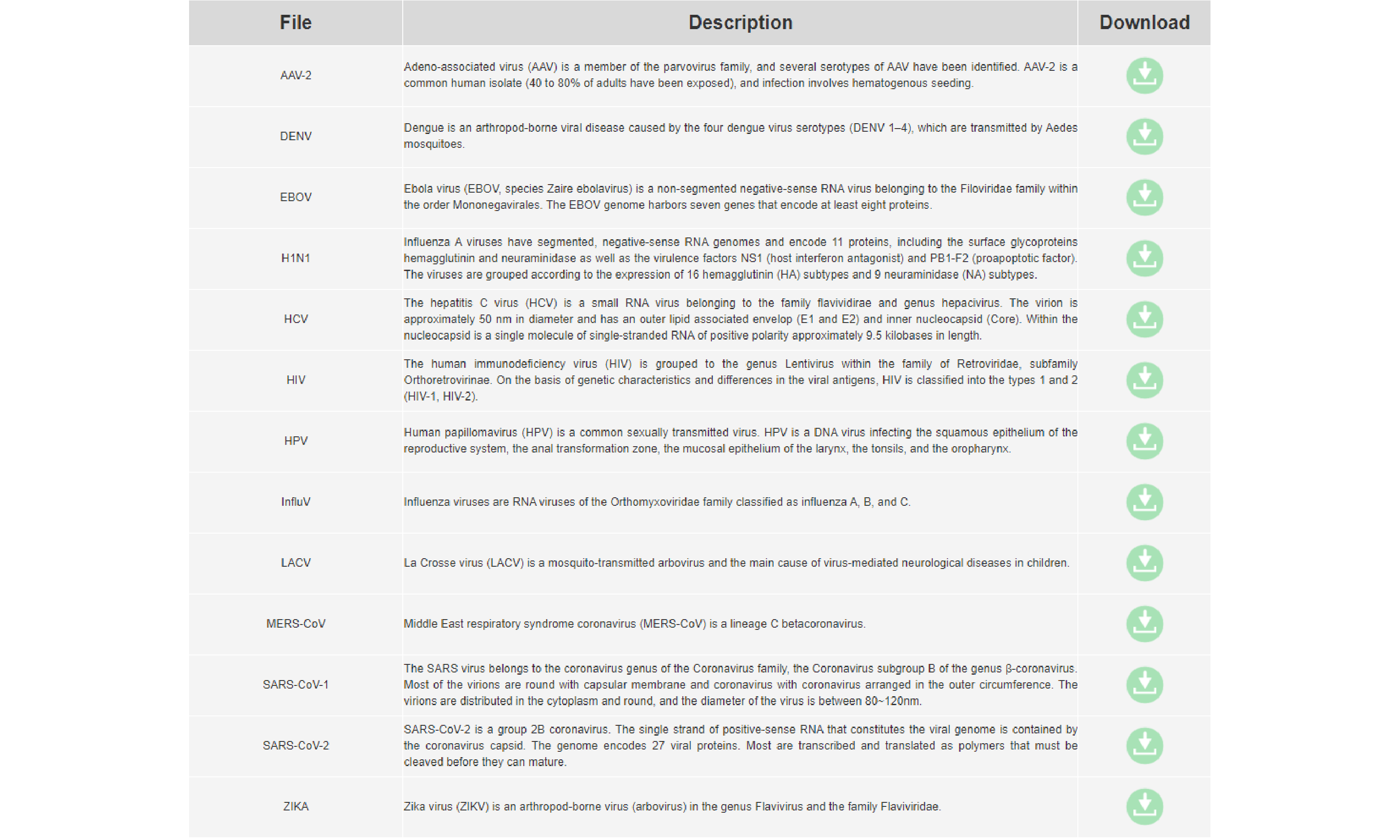
13 virus data can be downloaded directly.
Step 3
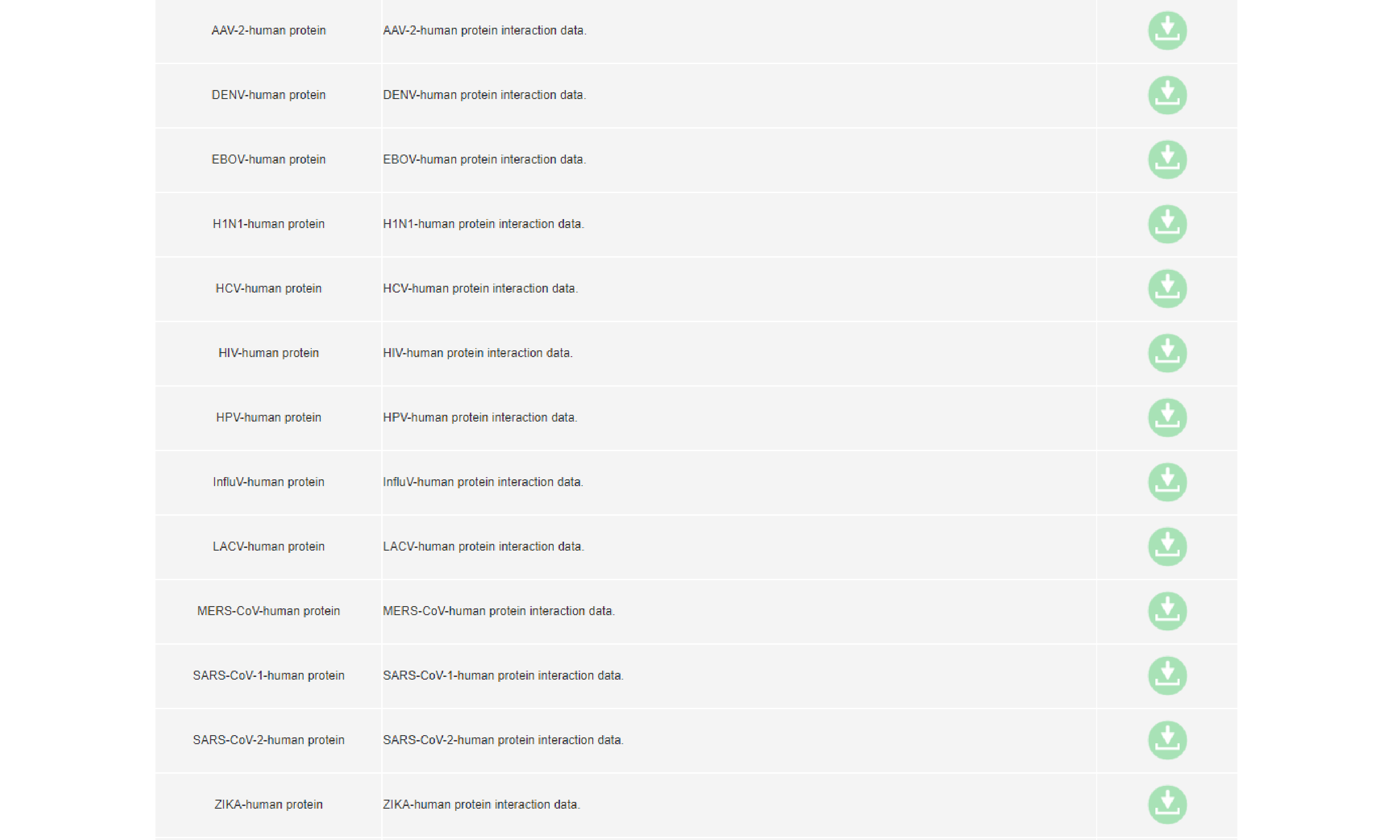
Viral protein and human protein interaction data can be downloaded directly.
Step 4
Data on drug targets interacting with human proteins can be downloaded directly.