| Homepage: |
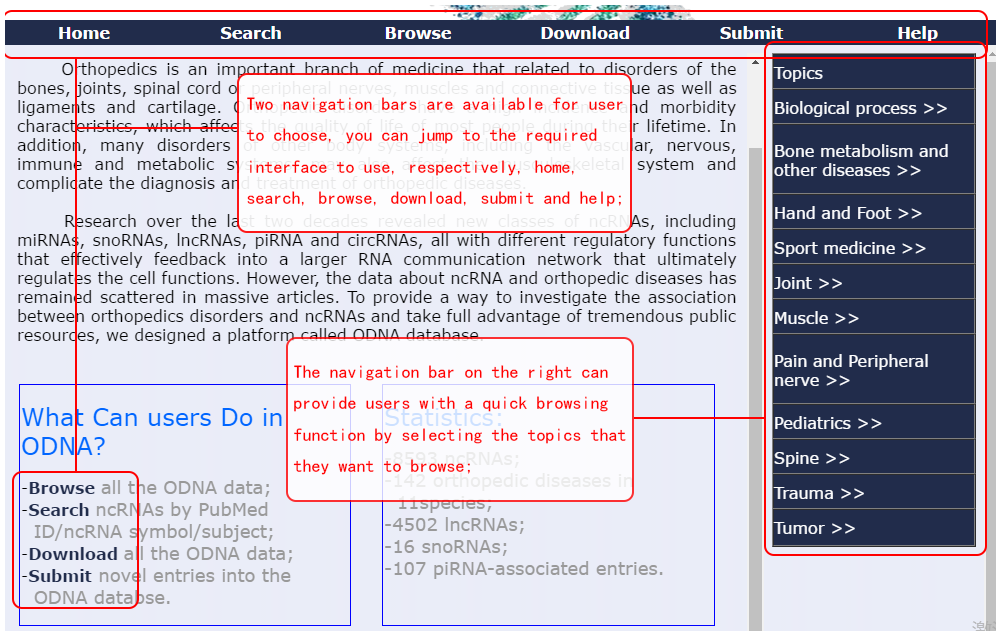
| The homepage has a brief introduction to the database and an overview of the data. On the right side of the homepage, you can directly click on the topic name and find the data for the corresponding topic. |
 |
| Search page: |
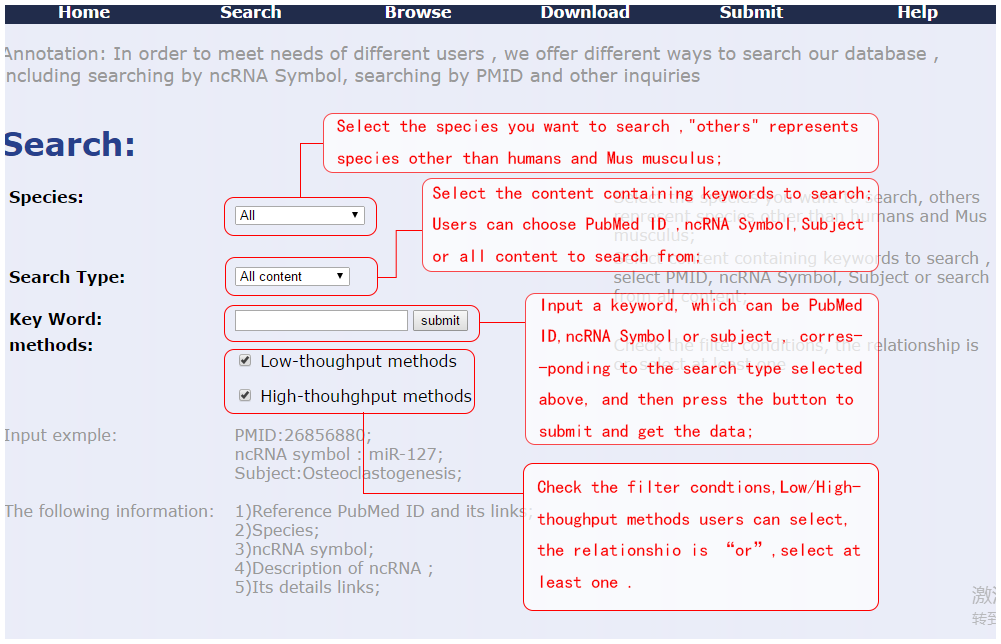
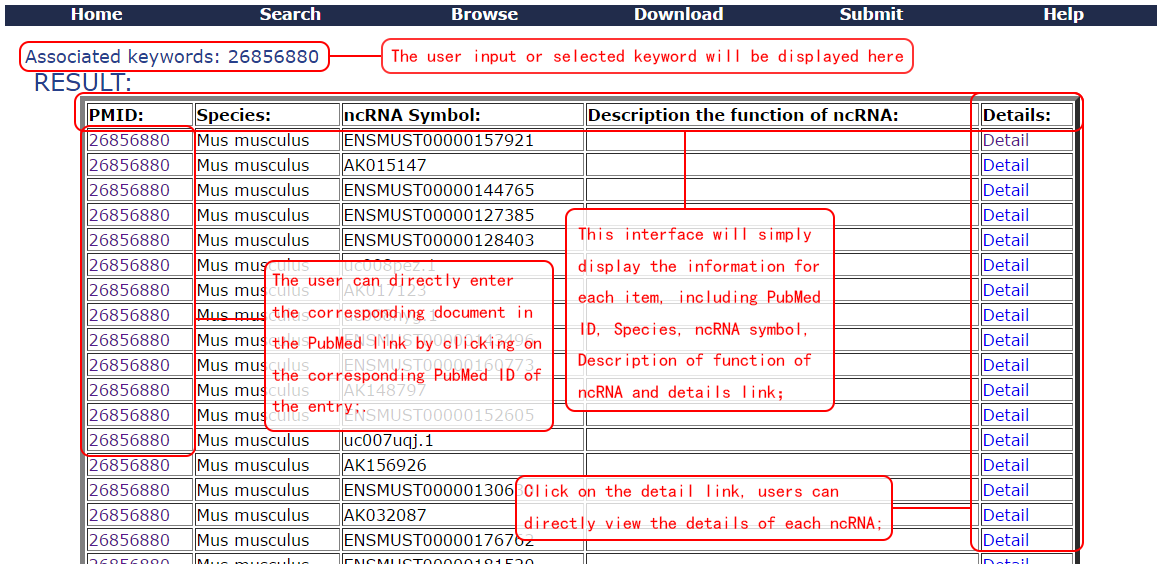
| There are advanced search options on the search interface. The default is the full range. You can select the appropriate species, search type, experiment method, and keywords to accurately locate the data you want to search. Species are temporarily divided into human, mouse, and other species, including other species in data other than human mice; search types include searches for pubmed IDs, ncRNA symbols, subjects, and all content. Keywords entered will be retrieved in the selected content ; Check the high-throughput and low-throughput experiments, select the type of the result, check at least one item to get the result, and select all by default. |
 |
 |
| Browse page: |
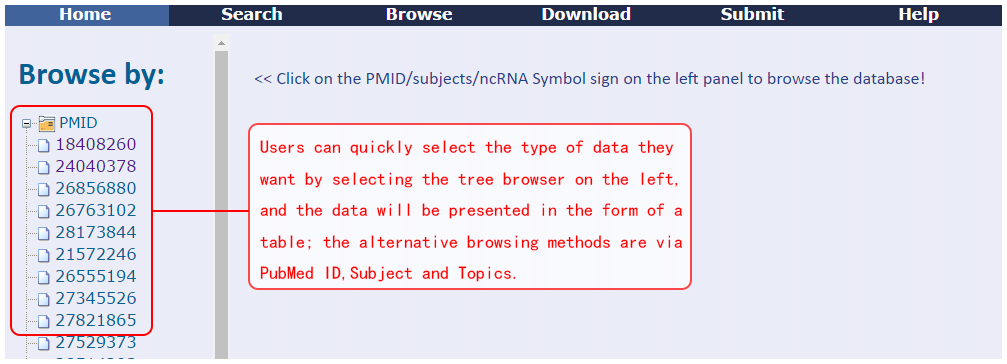
| The browsing interface allows you to quickly select the type of information you need to view the data. The left column includes folders categorized by ncRNA symbol, PubMed ID, Subject, and Topic. Click to browse quickly. |
 |
| Submit page: |
| ODNA supports users to upload their own data. After verification and verification, the user will upload the data to the database. The ncRNA symbol Reference title and PubMed ID are required fields. |
| |
| |
