Best experienced using the browsers Chrome Firefox
  Safari
  or IE version (11)
- 01 Get an overview of elncVarReg from the Home page.
- 02 How to search the regulatory model among SNPs, elncRNAs and PCGs?
- 03 How to browse your interest SNP, elncRNA and PCG in Genome Browser?
- 04 How to download regulatory models and R language code of maximum likelihood estimation in elncVarReg?
The Home page is displayed in Figure 1-1:
1 Main functions of the web resource are provided in menu bar form (boxed in red).
2 A quick search for regulatory model among SNP, elncRNA and PCG.
3 A schematic diagram of the regulatory model in elncVarReg.
4 A quick view of functions in elncVarReg.
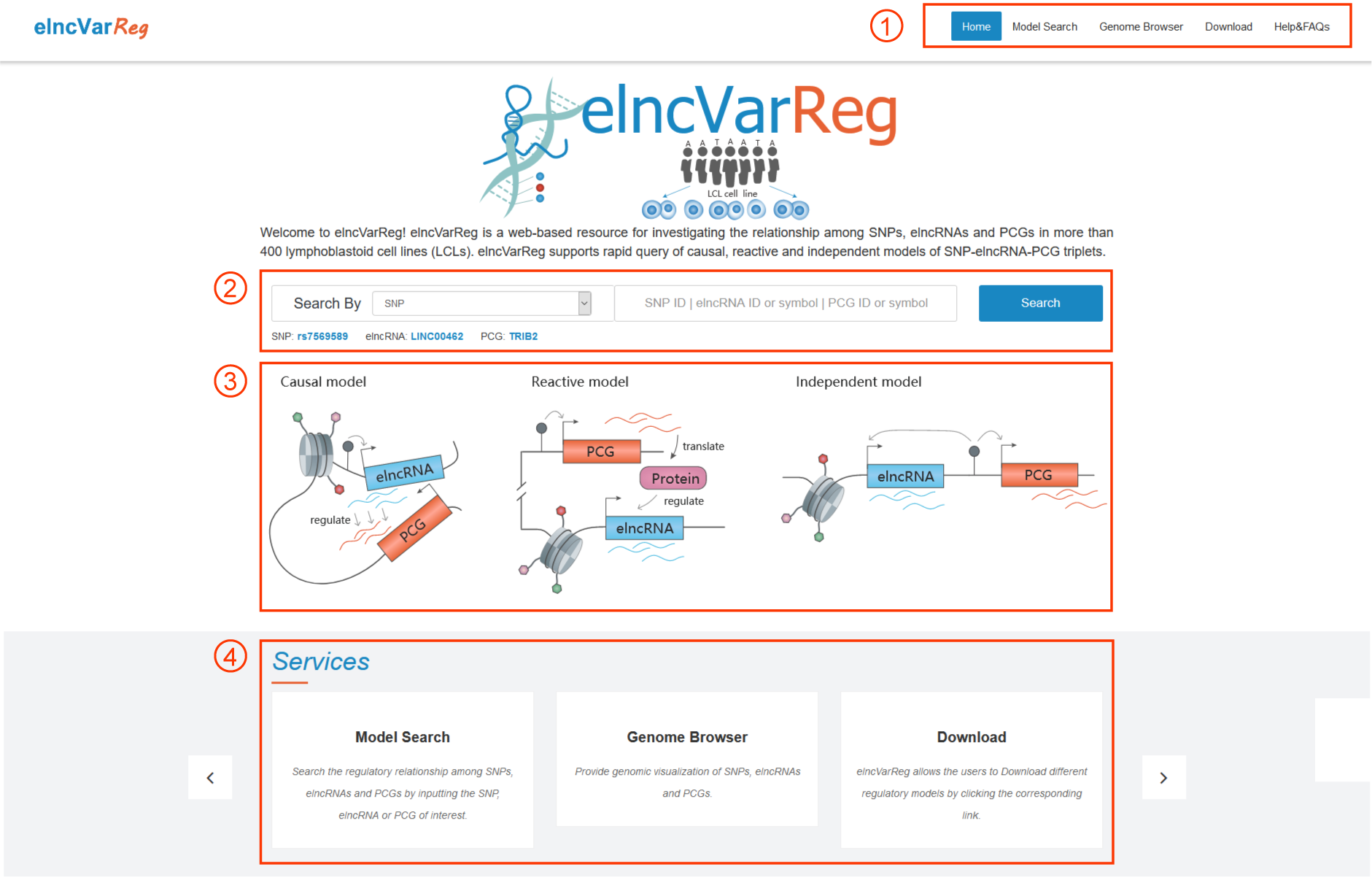
Figure 1-1
In the model search section, users can get the regulatory relationship among SNPs, elncRNAs and PCGs.
1 Input SNP by rsID.
2 Input elncRNA by Ensembl gene id or symbol.
3 Input PCG by Ensembl gene id or symbol.
4 Select the regulatory model of interest.
5 Click the Search button to get the result page.
6 Click to select the corresponding result table.
7 Click to download the results.
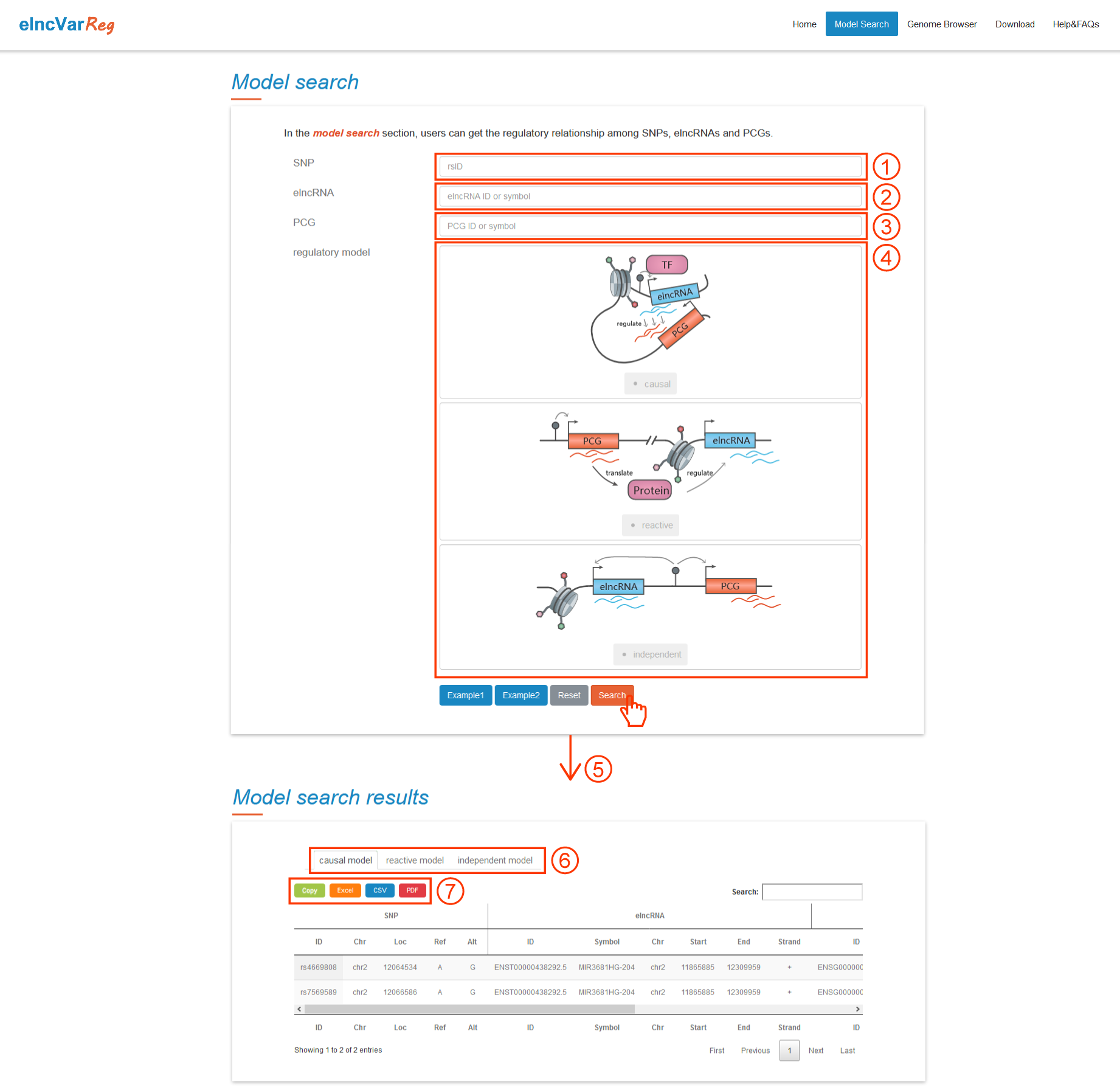
Figure 2-1
In the genome browser section, users can browse genomic positions of SNP, elncRNA and PCG.
1 Input the interested rsID, elncRNA/PCG Ensembl gene id or symbol, or genomic region.
2 Click Search button to get detailed information in Genome Browser.
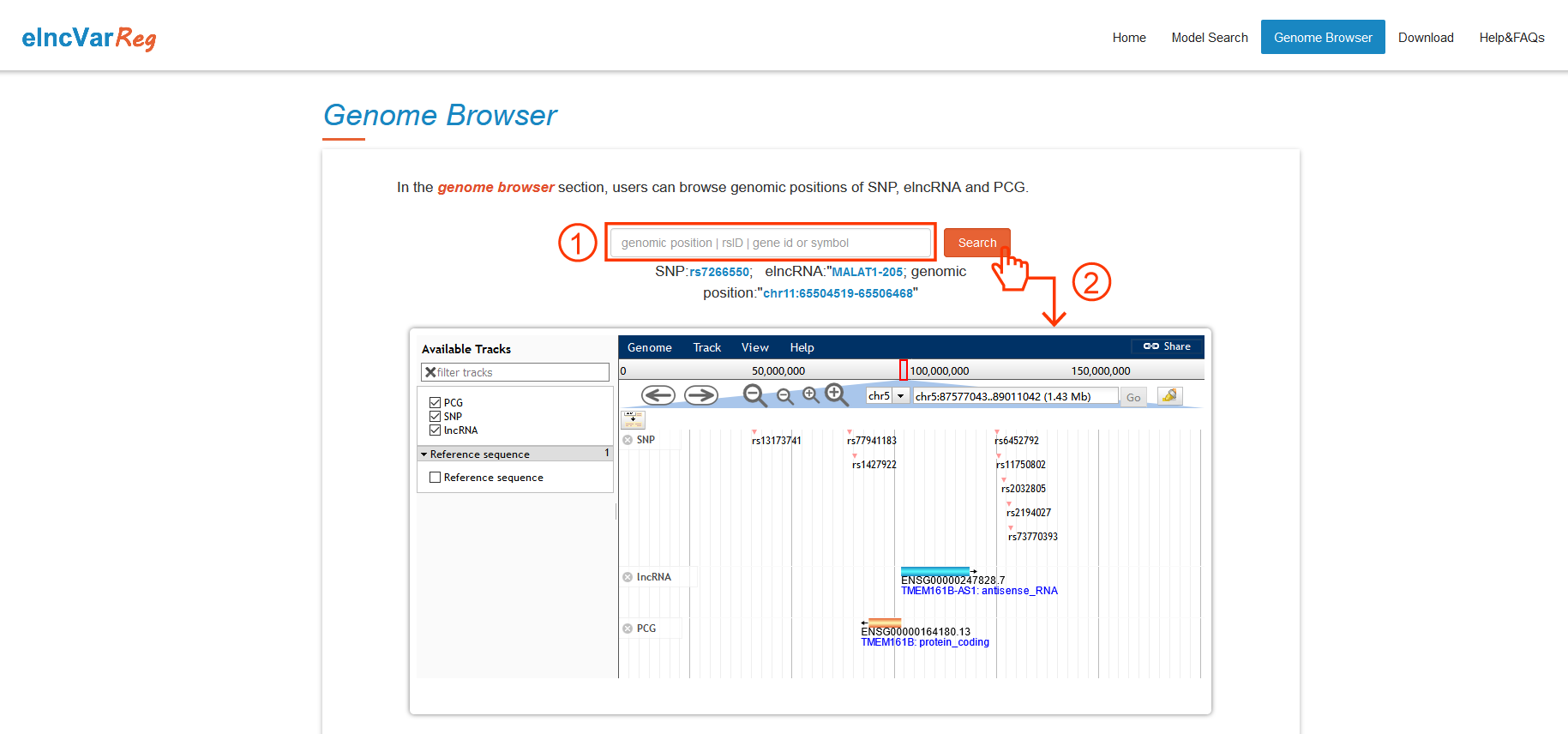
Figure 3-1
1 Users can download dataset of interest by clicking the corresponding link.
2 Download R code of maximum likelihood estimation (MLE) to predict the regulatory relationship of SNP-elncRNA-PCG triplets of interest in local computer.
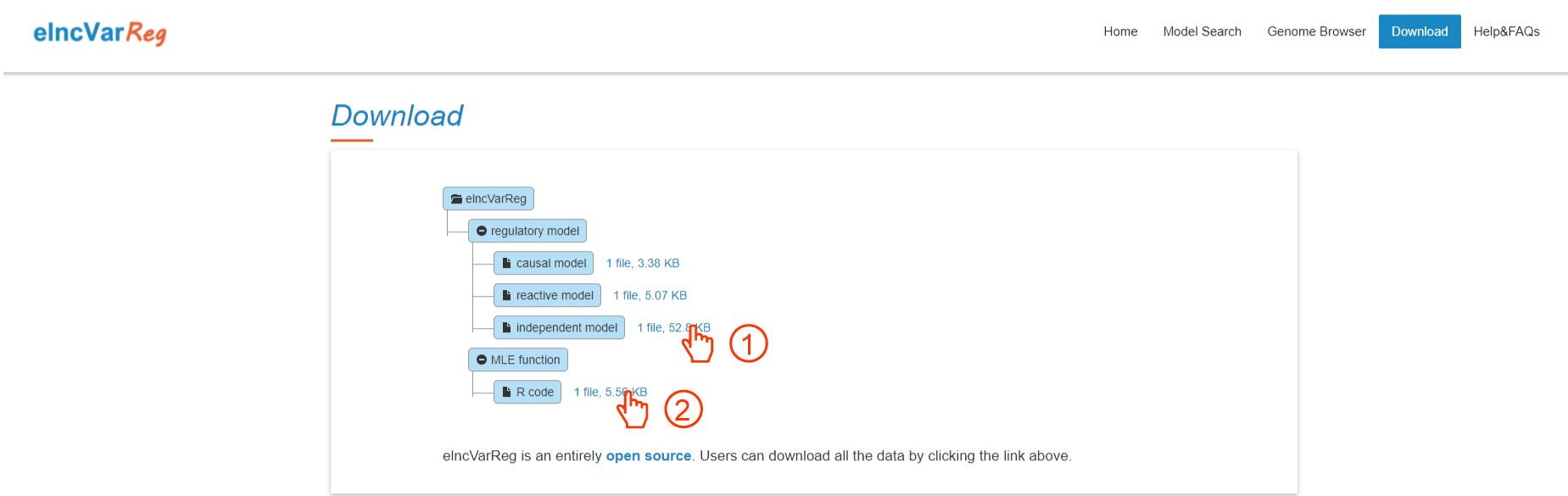
Figure 4-1