
Best experienced using the browsers Chrome Firefox
  Safari
  or IE version (9,10,11)
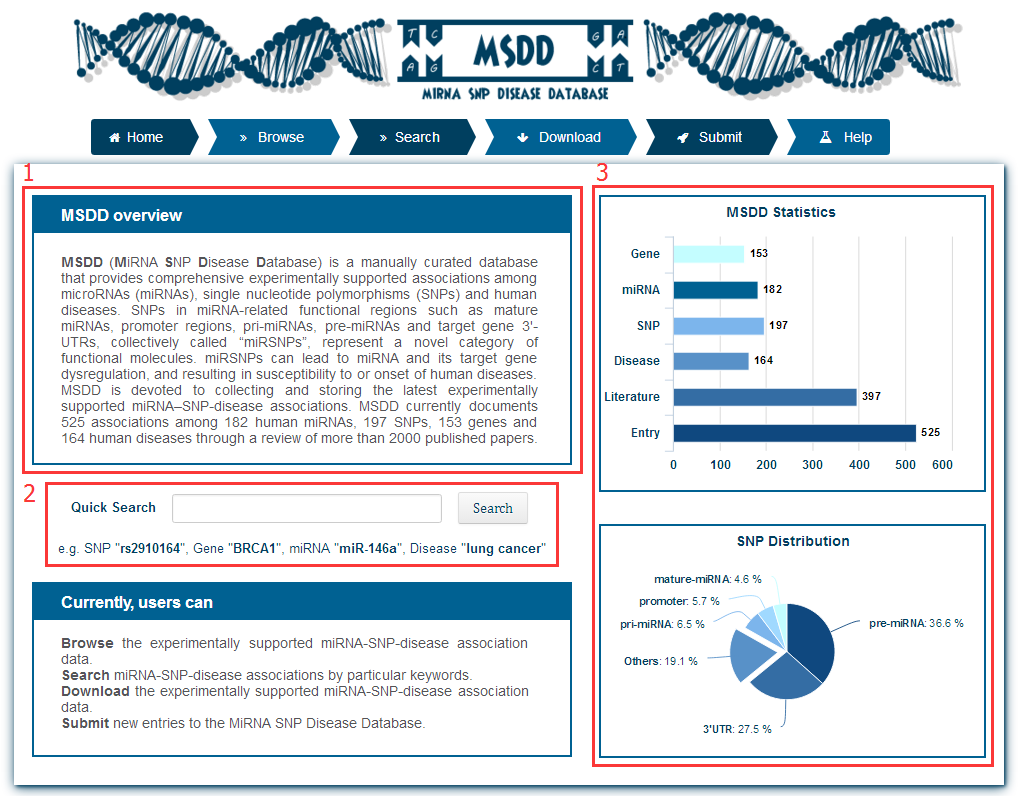
The description of homepage is as follows
1. A simple introduction about the database
2. A quick search interface
3. The statistics of the data in database, including the percent of SNP position and the number of gene etc.
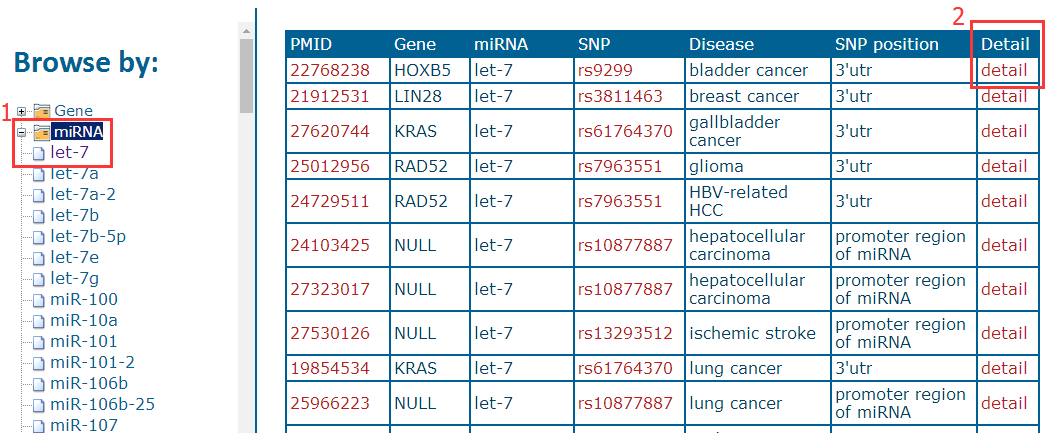
Users can browse entries based on gene name, miRNA name, SNP ID and disease name and click on the "Detail" column for more information.
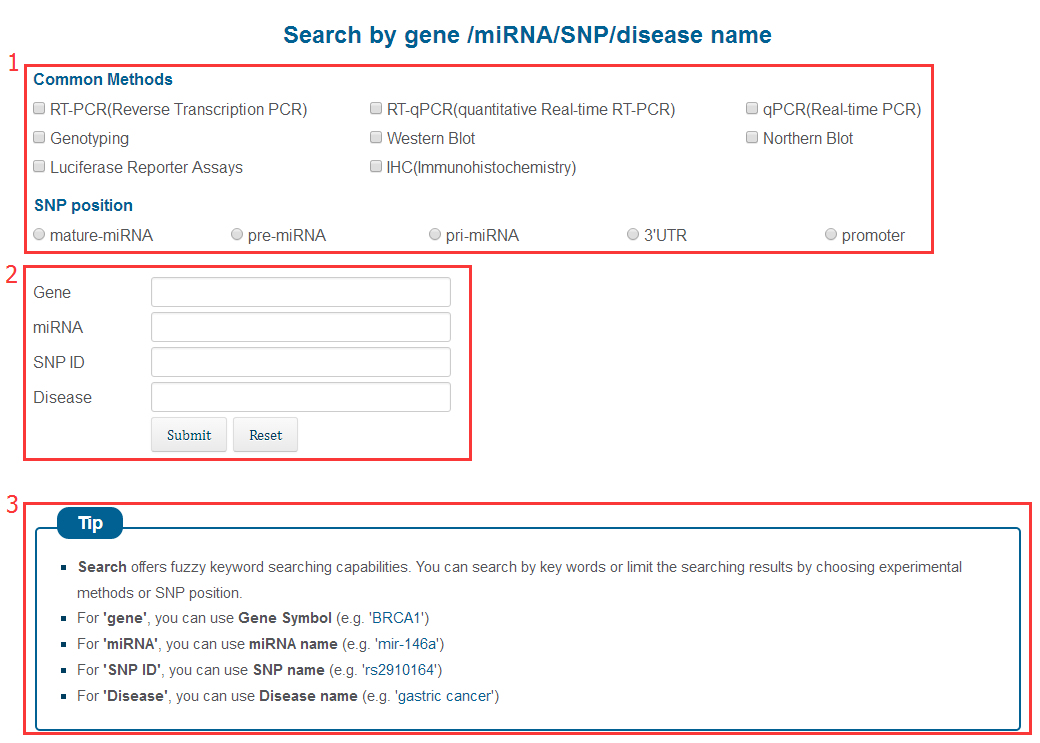
1. You can filter by experimental methods and SNP position
2. Input keywords to pinpoint your search
3. A tip for the Search page
After entering a keyword, the database will provide a result interface. You can get the information of the data by clicking the "detail" button. For example, when you type keyword "BRCA2", you can get a page as follows

when you click on the "detail"

The Download page allows users to download the experimentally supported miRNA-SNP-Disease association data. MSDD provides two maps that enable users to download data by clicking on the appropriate area. The left map classifies data according to the organ and the right map displays the hotspot data.
MSDD provides a submission page that allows researchers to submit newly identified miRNA-SNP-disease associations. Once approved by the submission review committee, the submitted record will be included in the MSDD database and made available to the public in the update release. We sincerely appreciate the users who contribute to MSDD.
